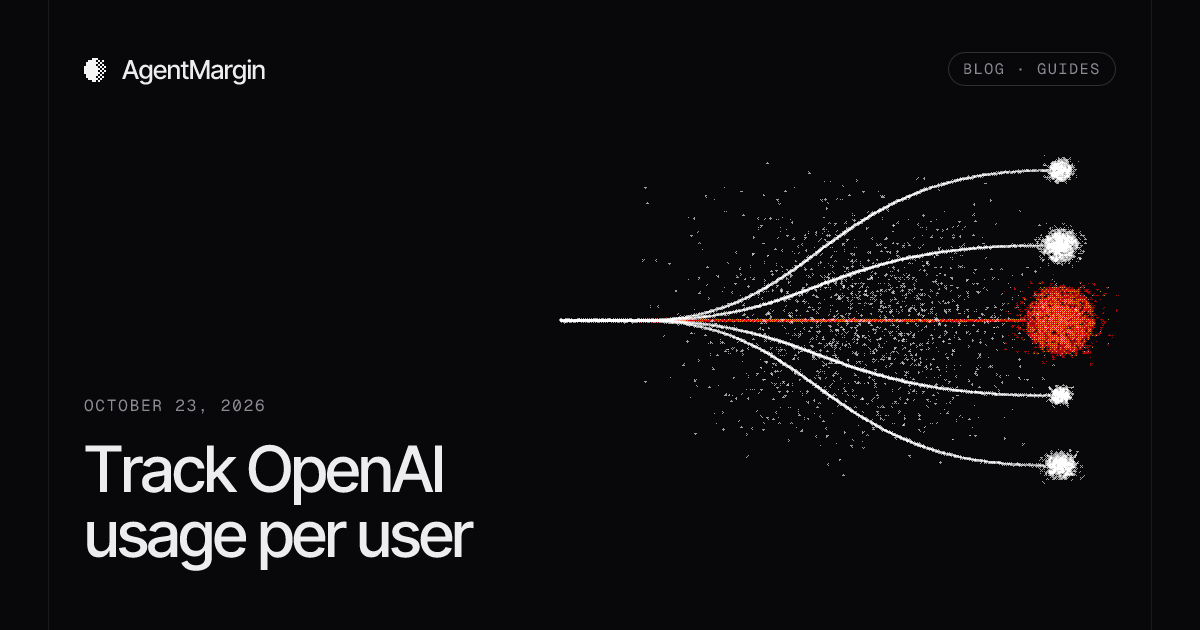
OpenAI's usage dashboard and Usage API answer "how much did this project spend?" They can't answer "how much did customer 4812 cost us?", because OpenAI never sees your customers. The fix is to meter on your own server: after each response completes, record its token usage against the customer you already authenticated.
What OpenAI reports, and what it can't
The Usage API groups completions usage by project_id, user_id, api_key_id and model, in 1-minute, 1-hour or 1-day buckets. Those dimensions all describe your OpenAI organization: its projects, its keys and its members. None of them is your end customer.
- One project or key per customer works for a handful of tenants. With thousands of customers it becomes key management, and per-customer revenue still lives somewhere else.
- `user_id` in usage reports means a member of your OpenAI organization, not a user of your app.
- `safety_identifier` (the successor to the request-level
userfield) is a stable, ideally hashed, per-user ID that OpenAI uses for abuse detection. Send it, but don't expect a per-customer bill from it.
The pattern: meter after the call, on the server
- Resolve the customer from your server-side session. Never take a customer ID from the request body.
- Call the model as usual.
- When the response is complete, read
model,idand theusageobject. - Write one usage event keyed by the response ID, so a retried write can't double-count.
- Record that customer's revenue in the same place, so cost and revenue can meet.
Doing this after the call, rather than proxying every request, keeps metering out of the request path. It also means a metering failure can't take your product down, which is why the write needs its own retry (see below).
Read the usage object correctly
The two APIs name the same counts differently:
| Count | Responses API | Chat Completions |
|---|---|---|
| All input | input_tokens | prompt_tokens |
| Cached input (cache read) | input_tokens_details.cached_tokens | prompt_tokens_details.cached_tokens |
| All output | output_tokens | completion_tokens |
| Reasoning (part of output) | output_tokens_details.reasoning_tokens | completion_tokens_details.reasoning_tokens |
- Cached tokens are a subset of input, not extra. Uncached input is
input_tokens − cached_tokens. Adding them on top double-counts. - Reasoning tokens are already inside output. They're billed as output tokens even though you never see them.
- On newer models the Responses API also reports
input_tokens_details.cache_write_tokens, which OpenAI's caching guide subtracts from input along with cache reads. Store it if it's present.
type UsageEvent = {
  eventId: string;      // provider response ID: idempotency key
  customerId: string;   // from your server-side session
  model: string;
  occurredAt: string;
  inputTokens: number;
  cachedInputTokens: number;
  outputTokens: number;
  reasoningTokens: number;
};

export function usageFromResponse(res: OpenAI.Responses.Response, customerId: string): UsageEvent {
  const u = res.usage;
  // No usage means unknown cost, not free. Fail loudly.
  if (!u) throw new Error(`Response ${res.id} has no usage`);
  return {
    eventId: res.id,
    customerId,
    model: res.model,
    occurredAt: new Date(res.created_at * 1000).toISOString(),
    inputTokens: u.input_tokens,
    cachedInputTokens: u.input_tokens_details?.cached_tokens ?? 0,
    outputTokens: u.output_tokens,
    reasoningTokens: u.output_tokens_details?.reasoning_tokens ?? 0,
  };
}
Streaming responses
- Chat Completions: set
stream_options: { include_usage: true }. Usage arrives in one extra chunk at the end, with an emptychoicesarray. Without the option, a streamed completion carries no token counts. - Responses API: read
usagefrom the finalresponse.completedevent. - If the stream is cut off before that last event, you have no usage. Mark the event unknown and reconcile it later rather than recording zero.
Never let a missing number become $0
Two things go missing in practice: usage (a dropped stream, an error path) and price (a new model name, a missing cached-input rate). Either way, recording zero makes that customer look cheaper than they are. Keep the event and mark the cost unknown, as explained in A missing price is not a $0 expense.
Retries without double-counting
The model call can succeed and the metering write can still fail. Put the event in a durable outbox and retry it. Because the response ID is the event ID, writing the same response twice is harmless. A new model request, though, is a new event: it has a new ID and costs money again.
Doing it with AgentMargin
AgentMargin ships this pattern as post-call helpers for both APIs. They send usage metadata only (customer ID, response ID, model, timestamp and token counts), never prompts or output, and they reject responses without usage.
import { AgentMarginClient } from '@makinohq/agentmargin';

const meter = new AgentMarginClient({
  endpoint: 'http://127.0.0.1:8787',
  apiKey: process.env.AGENTMARGIN_API_KEY!, // server only
});

await meter.trackOpenAIResponse(response, trustedCustomerId);
// or, for Chat Completions:
await meter.trackOpenAIChatCompletion(completion, trustedCustomerId);
The local API prices each event from the workspace's effective-dated price versions, and the dashboard shows revenue minus known AI cost for each customer. The SDK is source-first for now: link the local workspace package until an npm release is verified. See the OpenAI integration page for the full Next.js route handler.